
How to Clean Up Spreadsheets and Automate Them

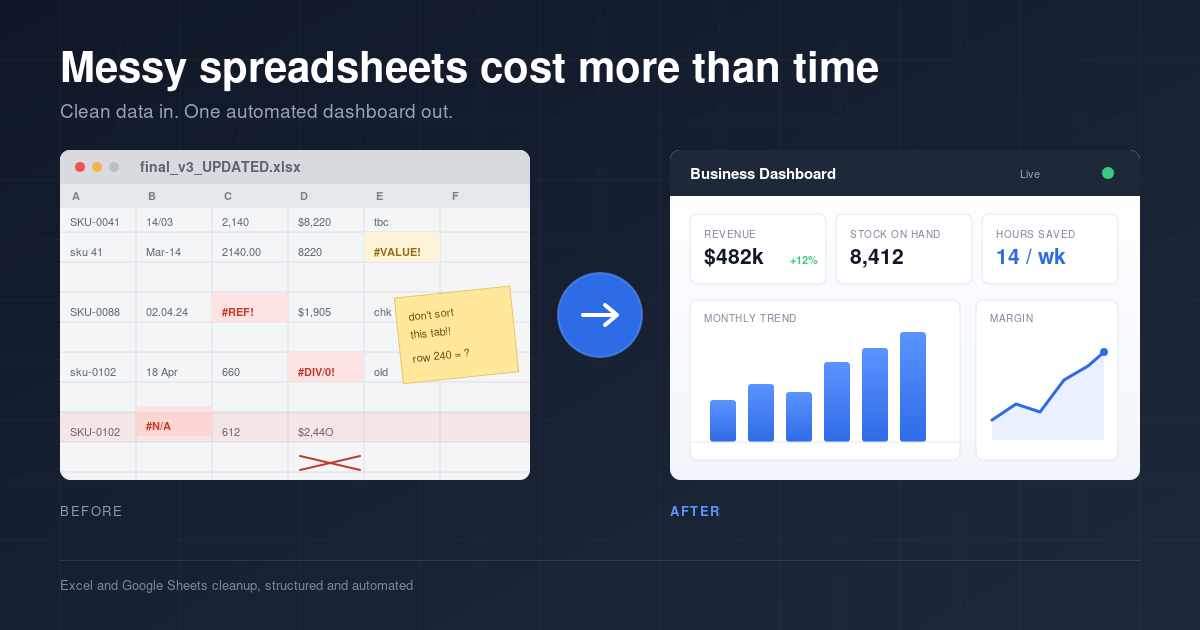
Somewhere on the desktop of almost every small business sits a file called something along the lines of final_v3_UPDATED.xlsx, and against all odds it is holding the whole operation together. It started out as a short list of orders back when the business still fit on one screen, then someone bolted on a column, then a second tab, then a formula in row 240 that made perfect sense to whoever wrote it before they left in 2023. These days it carries the revenue, the stock, half the customer history and a running total that has been wrong since roughly March, and opening it on a Monday morning feels a little like defusing a bomb while wearing oven mitts.
Spreadsheets creep like that in any business growing faster than the systems propping it up, which makes it one of the more common problems going around and one of the easier ones to solve. Cleaning up messy spreadsheets takes far less time than most owners assume, and rolling that tidy data into an automated Excel or Google Sheets dashboard is the step almost everybody skips, despite it being the one that hands the Monday mornings back.
Where Messy Spreadsheet Data Starts Costing Money
Bad data rarely announces itself. It sits in the file looking perfectly reasonable until a decision gets made on the back of it, and by then the damage is already priced in somewhere.
The pattern tends to repeat across small businesses in a few familiar ways. There is the weekly re-keying, where numbers get copied out of one export and pasted into another, and every pass adds a fresh chance of a typo nobody catches. There is the two-versions-of-the-truth problem, where sales quotes one revenue figure and finance quotes another, both pulled from something called "the spreadsheet" and neither pulled from the same one. There are formulas that break the moment a row gets deleted, sitting wrong for weeks before anyone spots the drift. And there is data stranded in PDFs and system exports, technically available but far enough out of reach that pulling it becomes a job for next month.
None of that is a discipline problem, which is worth saying plainly. It is a systems problem, and systems problems get fixed with better systems rather than more hours at the keyboard.
What Cleaning Up a Messy Spreadsheet Actually Involves
Deleting blank rows and bolding a header is tidying, not cleaning. A proper cleanup works through four stages, and skipping any of them tends to produce a nicer looking version of the same mess.
Standardising the formats. Dates, currency and text all need to behave the same way, otherwise sorting and filtering reorders things in ways that go unnoticed for months.Stripping duplicates and errors. Repeated rows and orphaned entries skew totals by small amounts that compound over a year.
Restructuring the data. Information laid out for human reading tends to fight formulas, pivot tables and charts. Laid out properly, it feeds them without argument.
Checking the numbers against the source. Every figure should match what it claims to represent before anything gets built on top of it.
That last stage is where most cheap cleanups fall over. A spreadsheet can look immaculate and still be wrong, which is arguably worse than one that looks like a mess, because a clean-looking file gets trusted.
Why an Automated Dashboard Beats a Tidy Spreadsheet
A clean file is a starting point rather than a finish line. The step that changes how a business runs is turning that clean data into a live dashboard: one view carrying revenue, margins, stock levels and trend lines, updating on its own without a single formula being touched.
Built properly, the dashboard reads from the source data automatically. New data goes into the source, the dashboard reflects it, and the whole question of which file is current stops existing. For a small business owner or a solo operator, that is the difference between reviewing the numbers once a quarter, whenever there is finally an afternoon spare to untangle everything, and reviewing them in five minutes on a Monday because the picture is already sitting there.
Excel Dashboard or Google Sheets Dashboard?
Both do the job, and the better choice comes down to how the business actually works day to day.
Excel holds up better with heavier datasets, more involved formulas and offline work, which suits businesses running detailed stock or financial models. Google Sheets wins wherever several people need to update the same file at once, and it removes the version chaos that comes from emailing attachments back and forth.
Neither is objectively stronger. The one that fits the existing workflow is the one that gets opened every week, and a dashboard sitting unopened may as well not exist.
What a Good Spreadsheet Cleanup Service Looks Like
Outsourcing this tends to make sense for owners whose hours are worth more elsewhere, though the quality gap between providers is wide. A few markers separate the good from the forgettable.
A background in data accuracy rather than spreadsheets alone. Precision as a habit matters more than fluency in a formula bar.A visible before-and-after process. The changes made and the reasoning behind them should be obvious on delivery.
Automation built in, not just a one-off tidy. A file that is clean today and chaotic again by next quarter has solved nothing.
A short turnaround. This is a few days of work, not a two-week project, and pricing should reflect that.
From Scattered Files to One Clean View
Every hour spent hunting through broken files is an hour not spent running the business, and a messy spreadsheet is less an annoyance than a slow leak on both time and judgement. The repair runs three steps: clean the data, structure it so it holds up, and automate it into one dashboard worth trusting. After that, the spreadsheets stop being something to manage and go back to being something useful.
Send over the files and get them back as a clean, automated dashboard in Excel or Google Sheets. [Get started here →]